Eventicizing into the New Year

Event

Before I begin – my heart goes out to everyone in Texas and everywhere else where people are without power.

Here’s a Recipe for Eventicizing During the Pandemic

Ingredients

  1. Time
  2. Chutzpah
  3. A Paid Zoom account
  4. Decent internet connection
  5. Computer

Possible additions:

  1. The Ask Deep Questions Deck or similar
  2. Friends
  3. High School Class Facebook group (<your peer group> Facebook group here)
  4. A Vitamix
  5. A history of throwing events and working to make them go well

Hello, fellow trail-blazers, experimenters, and people looking for some fun and connection. I’ve been hosting virtual events for many years so recently I decided to see what would happen if I created a Zoom meeting for a wide variety of my social circles. Sometimes I’d use the Ask Deep Question deck to lead the event, but other times something more organic would happen — perhaps just sharing and hang out time. Here are some of the events I initiated and some others I’ve participated in in the past couple of weeks. My goal here is to encourage you to try this out for yourself. I’m here to provide assistance if you need a nudge or technical help.

Zoom is here. It can be a great tool if used well. I have a lot of Zoom tips on my Zoom page, but here I want to go beyond the tips to make zoom usable — and show ways it can help us thrive. OK, onward!

  1. Friend Dating events. For these, I employed a local meetup group, a FB list of my friends, and an email list of friends. I invited them all to an event (another is scheduled) in which we did short intros and then I split us into break-out rooms for the answering of a question — each person got 2 minutes to answer and then we came back to the main group. We also had breaks for a few songs by participants — a good length for this seems to be 1–1.5 hours
  2. A meeting for those who love Breitenbush. Breitenbush is a hot springs retreat center in Oregon and has recently suffered due to wildfires and Covid. I helped host a meeting of 50–60 people to discuss what might be next for this sacred place. Follow up meeting planned for March 4th, 2021
  3. 4 Virtual End of Life Ceremonies. Each one of these is teaching me how to make these go better.
  4. BlueOregon Contributors. I’ve been a writer for BlueOregon over the years. For the past couple of years, there haven’t been many contributions to the blog and so I thought the writers might want to meet and discuss how to revive the blog. A follow-up meeting is planned.
  5. Bringing in the New Year — Song Circle Style — A NYE gathering for people to share music. This went way better than I expected it would. I hosted a virtual event from 8 pm to midnight. People hopped on for 5 minutes to an hour or more. Someone would play a song — everyone else would be muted. Besides being thoroughly entertained by some excellent musicians — I also noticed that it is possible to play along with someone when they’re playing. This has a lot of advantages and deserves its own article, but for now, suffice it to say that it’s possible and pleasurable to play along with someone on Zoom. It’s different than being in person — but you can also scale up = ie, 100 people can be playing along at once and everyone gets to play at the same time. Please someone start creating events where this happens — I will help make you happen! I’ve repeated this a few times — often just one on one as a way to keep practicing the guitar and singing.
  6. Ask Deep Questions: meetings for my local neighborhood community; a Jewish friends version; and a mens’ version — I may also employ this approach when I bring my high school class together for a reunion. One advantage of going this route is that you’re almost guaranteed to have a great time. It’s hard not to go into a room with 2 other people, and answer a personal question with strangers. The giddiness factor is usually high.
  7. Burning Man Singles! One thought I had was — why not go into various Facebook groups I’m a part of and create events within them. This was the first of those. Those who attended round one seemed to have a good time and a second meeting is planned — I may move this to a monthly event and I could see it building.

Thanks for reading thus far. A friend in one of my mens’ groups asked me how “all the events” were going, and it prompted me to write some of it down. I hope this will inspire you to try something similar with your friends, family or other peer groups.

Upcoming Events I have planned

  1. A reunion for those who attended Camp Galil (the labor zionist summer camp I attended in my teens). I’ve picked 2 sub-groups to invite 1965–1975 and 1975–1985 — which are time periods I straddle.
  2. 2nd Round of Jewish Friend Dating for Portlanders — one way to meet new friends!
  3. A meeting for those who want to talk about the future of Portland’s trees. I started a group called We Keep Trees Standing in Portland and Beyond — FB Group for Organizing a few years back. We’ll talk about what we’ve done so far and what we can do next to keep trees standing and get more planted!
  4. I’m part of a group called Quiet Clean PDX which is working to stop the use of gas-powered leaf blowers. The group has grown over the years and I’ve called a meeting for our newsletter subscribers and anyone else who is interested in this topic to discuss our strategies.

What I’ve learned so far

  1. There will always be hiccups with Zoom events. We have to just expect them and get better and quietly righting whatever has gone amiss.
  2. Sometimes you will throw an event and no one will come. Leave the room open for a while and note how that feels. It’s OK. Now, you are free to do something else. Sometimes you will throw an event and 1–2 people will come. You might want to throw what you had in mind out the window and just hang out together. Or, try what you had planned — you’ll love how intimate things are. You’ll probably have an unforgettable time.
  3. Everyone’s experience will vary. But the capacity for joy and fun is high — possibly a lot higher than what you’ve experienced on Zoom thus far.
  4. The more people who get good at making events online go better the better everyone’s experience will be. There are people who are great at training you to be a fantastic virtual facilitator. One person who I see doing this is Jan Keck. Check out his Virtual Facilitator Training. At least start following what he is doing if you are interested in this topic. If you read this far, you are now officially interested in this topic — get busy.

Thanks for reading. If you have thoughts, please leave them in the comments below. Thanks!

Albert

Addendum

  1. If you ever want to join an online event — go surfing. Head to Facebook events — find one you like and just join right in! I’ve done this a few times = fun!

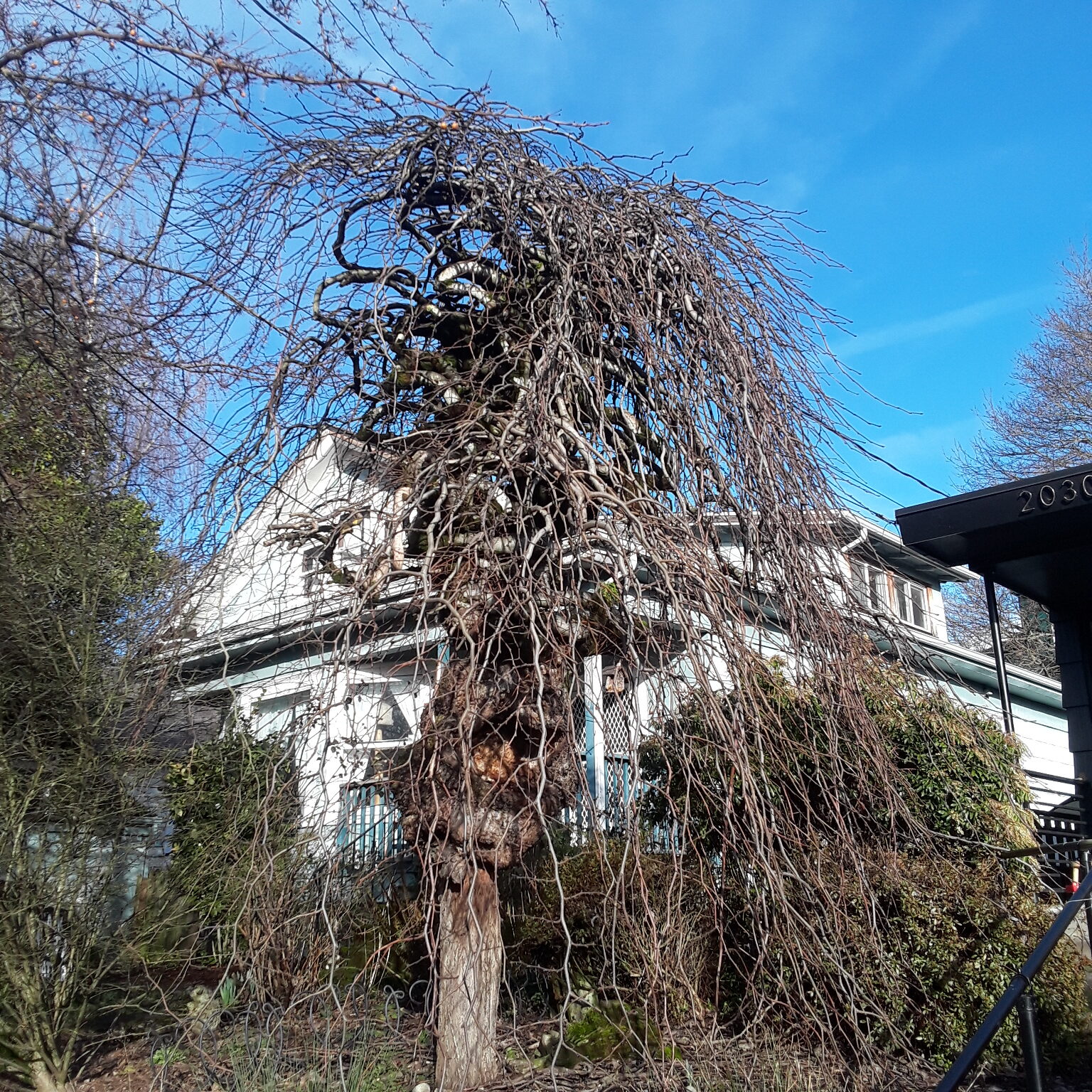
A neat Richmond Tree A neat Richmond Tree


Virtual Memorials Run Well

Virtual MemorialsMaui Tree

In the past few months I’ve been asked to help with 3 virtual services. Here are a few of the things I’ve learned. If you would like my help with a virtual memorial please reach out.  

  1. Probably as with the rest of life, every virtual experience is different and none of them go perfectly. As much as you practice and prepare know that there will be hiccups. They probably do something to humanize the experience rather than put a dent in it. That said, mostly I’ve seen these events be really sweet experiences where people share what they loved about their loved one. Participants have come away surprised at what a lovely experience a virtual memorial can be. 
  2. Do hold a tech run-through – try out things like sharing the screen to show a slideshow and practice spotlighting people and muting people if it’s going to be a big group so that the main person speaking can be heard.
  3. Make sure that the main person who is overseeing the event understands well how to use Zoom or whatever platform you’re using. Also, ideally, hand this role off to a professional or at least not someone who is close to the loved one – so they can experience the memorial and relax into it. 
  4. Know that the event will probably go better than you can imagine. People will share in all sorts of unexpected ways. Every time I’ve run one of these I’ve noticed that the events have a natural flow and really seem satisfying to the people who attend. 
  5. Given that not everyone is an expert with Zoom, it makes sense to hold a short training session early on in the event. In this I highlight how one can change or add their name if they want to; how to use the chat feature; how to turn off one’s video so that connectivity is improved in some cases; how to mute oneself; how to raise your hand; and different ways of viewing – speaker vs. gallery view, for instance. As Zoom continues to change, so does the short tutorial. 
  6. Decide in advance whether you want to record the session or not – and perhaps let participants know if they’re being recorded. 
  7. podcast on the topic 3.28.21 led me to Memories.net

Testimonials:

“We hired Albert to help our family host a Celebration of Life Zoom service for my mother in law. We needed to get organized quickly and invited over 100 people to attend and share stories. We also wanted a live music element. Albert could not have been more skilled and helpful every step of the way. He pulled off a seamless event; and he was lovely to work with. We couldn’t be more grateful! Highly recommend using his services.”  
Thanks, 
Jackie
“Albert helped facilitate a virtual memorial service for my Uncle. It was such a relief to not have to worry about the technology during the service and to have his support for new Zoom users at the service. Albert has a solid understanding of Zoom’s setting and options and helped improve the event. He was kind and responsive and a huge help during a challenging time.”
Best,
Monica

From the Songwriter Soiree Website – some tips on using Zoom.

ZOOM TIPS

Using Zoom for the First Time? Here is a good INTRODUCTION VIDEO on how to join a meeting!

  1. MAKE SURE YOU ARE MUTED (you will be muted upon entry).

  2. Top right of screen: speaker view or gallery view – try those out.

  3. You can click on a person’s square and pin them – then you’ll see them big.

  4. At the bottom is a chat function – you can use that to chat with others individually or everyone at once.

  5. Zoom usually works better using a laptop or desktop over a phone – and on a computer it likes the Chrome browser. With a phone you don’t get all the bells and whistles you would get with the other devices.

  6. Please keep your camera steady.

  7. Confidentiality is important – and I’ll always remind people of this. No screen-shots, no recording. (unless there is consent by the whole group).

  8. If you come in late or don’t quite get the instructions, try your best to listen and follow along 🙂

  9. Scroll around on the screen and see what you see and teach yourself how to use Zoom. Like many programs – it works differently on different platforms. Don’t get hung up on the tech – notice who’s speaking and focus on that.

AUDIO TIPS – IMPORTANT FOR PERFORMERS!

  1. Use just one mic for both guitar and voice. Using more than one input causes phase cancellation of common frequencies.

  2. Before joining, make the following adjustments to your ZOOM audio:

  3. Go to your ZOOM preferences>settings>Audio. Uncheck “Automatically adjust microphone settings.” (test this out).

  4. Go to Preferences>Settings>Audio>Advanced>Audio Processing: Under “Suppress Persistent Background Noise” AND Suppress Intermittent Background Noise” Select “DISABLE.”

  5. Also check “Show in meeting option to “Enable Original Sound” from microphone. You will then have an option on your Zoom chats on the top left of the screen. Press “Enable Original Sound” during the meeting to use your sound setup the way you intended. Try it out first and have someone hear the difference. It’s a big one.

  6. Now you will see a button in the upper-left corner during the meeting, which lets your turn Original Sound on or off. We recommend you turn it on when you will be playing an instrument. You may need to turn it off when you are speaking or singing without playing an instrument.

  7.  Start your own meeting in the App and record yourself.   When you end the meeting, the software will compile a video that you can watch and listen to.  You will only sound as good online as that recording. Make audio input adjustments to reduce distortion and test again.

  8. Please consider doing a test beforehand with another friend using zoom to test your sound.

  9. Play around with volume and or position from the mic to get the best sound.

  10. What has worked well for many: Using a Mac audio interface for audio input with a good quality microphone with compression and EQ being applied through interface software. But use what you have! The built in mic can be just fine.


The Timber Industry of Today Part 1-5 – Logging in Oregon


Here’s a 5-part series from Vernonia’s Voice.  Enjoy

VoicePt1Timber2020 – August 20th, 2020

VoicePt2Timber2020

VoicePt3Timber2020

VoicePt4Timber2020

VoicePt5Timber2020

And, from the wayback machine.

“I had the wonderful opportunity to speak to a classroom full of young tree-planters as part of [Youth Acting for Our Earth’s youth climate training] at the Mittleman JCC in Portland, Oregon. I watched as the young people delivered a poignant and passionate report about climate change and how planting trees can have a positive impact going forward. It looks like everyone learned a lot that day and both the young people and their parents seemed pleased by what was learned and for young people to get the chance to practice their public speaking skills. In my talk I tried to cover some information about on-going efforts to keep Pacific Northwest trees standing – both in the countryside and in the City. I also talked a little bit about population growth’s effect on climate change as well as a personal passion – planting more fruit and nut trees everywhere when we’re talking about planting trees. Thanks to [Youth Acting for Our Earth’s] efforts to bring forward the importance of tree planting – may Governor Brown hear the call to plant millions of trees in Oregon.”

—Albert Kaufman, Environmental and Social Justice Activist and Founder of Farm My Yard

Do you Like Mitch McConnell and what he’s done to the United States?

Mitch McConnell has got to Go. Let’s help.

It’s time to send Mitch McConnell packing. Seriously. The senator from Kentucky has had a stranglehold on the US Senate for years. He’s broken the Senate pretty much and it will take years for that body to come back to being a more useful place that works for US citizens. We suddenly have a slim chance to remove Senator McConnell from his perch via 2 senate run-off elections happening in Georgia right now.

Senator McConnell stands in the way of pretty much everything I believe in. Nature. Women’s Rights. Black Lives Matter. Equal pay. Fighting for living things to survive the climate crisis. Please contact people you know in Georgia and encourage them to vote. This is probably the most important election in our lifetimes. Yep, that important.

Thank you – feel free to wake up other friends of yours who might have friends and family in Georgia.  Winning this election for Jon Ossoff and Reverend Raphael Warnock will lead to a brighter future for all of us. Please take a moment to make a difference.

Georgia

Georgia on My Mind

The upcoming election in Georgia will set the tone and pace of how our lives go for the next two years. If we win the 2 senate seats – Jon Ossoff and Reverend Raphael Warnock – we’ll have a little better chance to get serious about the climate crisis. So many things will be possible that will be blocked by Mitch McConnell and his cronies if Georgia votes Republican in these races. Let’s all help get out the vote in Georgia for the next few days.

The day after I was aware that there were to be two senate runoff seats in Georgia I decided to do some things to win these seats for Democrats. Here’s why and some guidance about what you can still do to help.

I’m a musician, so whenever I’m asked to contribute my mind goes to music. Georgia on my Mind has been an ongoing theme for many during this upcoming election. I’m also a marketing guide – so my main mode is email newsletters. So, I combined the two.

Here are the four newsletters I’ve sent to my list and tried to send further as well via social media.

  1. If you didn’t know, now you know
  2. See possibilities, dear Georgia – John and Eecole write a song
  3. Featuring an awesome Broadway for Georgia
  4. You’re getting very Peachy

​This is Important

For the children

For your neighbors

For you

​Get busy!

For lots more information on these two races and how you and your friends can get involved, click here.

Please copy the url of this post and share it on social media: https://albertideation.com/georgia-now

Credit: HTML help from Dan Kaufman at DKG Promotions

Editing: Hannah Kaufman

Lunchclub

Lunchclub

LunchClub. Have you tried it? I’ve had 23 meetings with somewhat random people set up by LinkedIn in the past 2 months since it began. I’m sure it’s possible to match with someone and have something cool come of it. And.. I’d much rather be doing this with people in my community. In case you want to try out LunchClub, there’s a link to it below. If you want to try out LunchClub with me, visit my website and set up a 15 minute appt. with me and we’ll take it from there. 

LunchClub: https://lunchclub.ai/?invite_code=albertk – I get nothing by inviting you, btw. But you might 

Albert’s website: https://albertideation.com


I just figured out an aspect of this service that’s reminiscent of a Black Mirror episode. Once you’ve had a meeting with someone you have the ability to send out a note about how the meeting went. That can then be tweeted from their interface. But there’s more. I believe your “review” of the meeting also gets sent to anyone who accepted your invitation to Lunchclub, thus potentially turning it into a marketing vehicle for both you and the person you met with. 

1.18.2021 = there is now a LunchClub “Your Network Strength” rating. See mine @ https://lunchclub.com/dp/network-strength-30e365e3d9af?ref=share_link


12.16.2020:

ASC Webinar Series Ep #16: How To Shape Your Social Sphere https://youtu.be/Naq-EOcqeC0